
Description
CoastKey Mercury Keyless Ignition w/MOB | Boat Supply Store
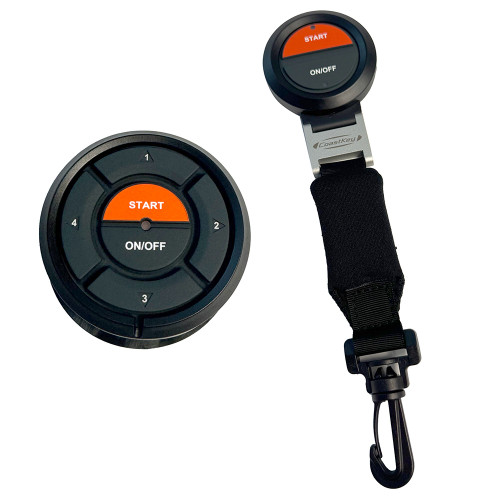
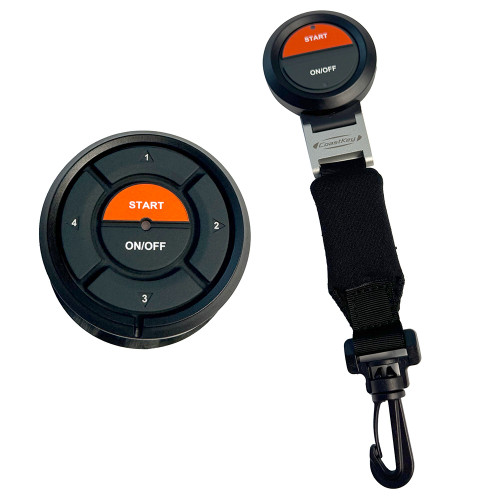
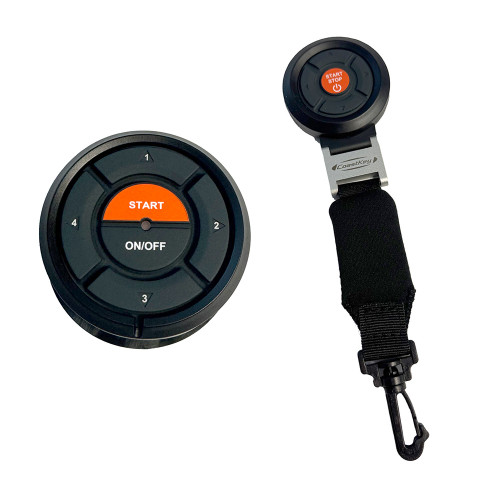
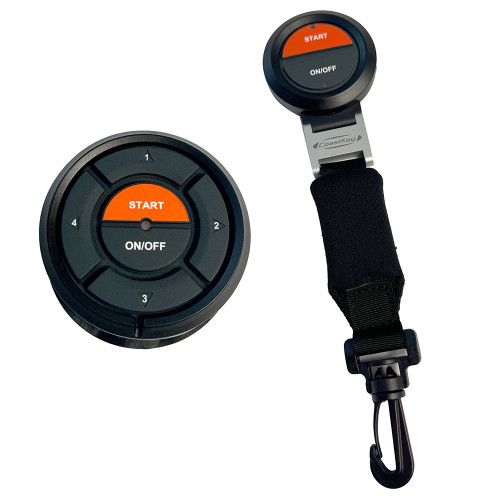
For Mercury outboard owners seeking an integrated ignition and man overboard safety solution, this system eliminates physical keys, relying instead on a PIN-enabled Start Panel for secure operation. It features a wireless 2-button FOB that enables remote start/stop functionality and a vital wireless lanyard for automatic engine kill in a man overboard situation. Installation is simplified for newer Mercury engines through a plug-and-play harness, offering advanced convenience and critical safety protocols for offshore fishing trips on the Gulf.
Key Features
- Keyless Ignition eliminates physical keys for enhanced security.
- Wireless Start/Stop functionality controlled via the 2-button remote FOB.
- Wireless Lanyard provides critical Man Overboard protection.
- PIN code access ensures only authorized users can start the engine.
- Remote Start/Stop via the included 2-button FOB adds operational flexibility.
- Plug & Play installation for compatible newer Mercury engines streamlines setup.
- Integrated Man Overboard Protection automatically kills the engine.
- Comprehensive kit includes Control Box, Cables, Start Panel, and FOB for complete installation.
Specifications
| Product Specifications | |
|---|---|
| Wireless keyless ignition and start/stop system | Single Mercury engines |
| Start Panel | PIN-enabled |
| Remote FOB | 2-button wireless with wireless lanyard function |
| Included components | Control box, cables, Start Panel, and FOB |
| Installation type | Plug & Play for newer Mercury engines |
Who This Is For
Boat owners with single Mercury engines seeking to upgrade their ignition to a keyless system with advanced security and convenience. It is ideal for those who also prioritize enhanced safety features like automatic man overboard engine kill.
How It Compares
| Feature | CoastKey Mercury Keyless Ignition w/MOB | Competitor |
|---|---|---|
| Keyless Ignition | Yes (PIN or FOB) | Yes | No |
| Wireless Start/Stop | Yes (via FOB) | Yes (via separate remote) | No |
| Wireless Lanyard (Man Overboard) | Yes | No | Yes |
| PIN Code Entry | Yes | Yes | No |
| Plug & Play for Mercury | Yes (for newer models) | No | No |
Common Concerns Answered
Are there any compatibility issues with older Mercury engines?
The Plug & Play installation is optimized for newer Mercury engines; older models or non-Mercury applications may require more complex wiring. Consult the manual or customer support for specific older engine compatibility.
What are the range limitations of the wireless FOB?
While generally reliable, occasional range limitations with the wireless FOB can occur due to environmental interference. Ensure clear line-of-sight for optimal performance.
Is the initial setup complex?
The system has a learning curve for initial setup and PIN management. However, the Plug & Play aspect for compatible engines significantly simplifies the process.
Frequently Asked Questions
Can I use the CoastKey Standard without the remote FOB?
Yes, you can operate the ignition and start/stop functions using the PIN code entry on the Start Panel even without the remote FOB.
How does the wireless lanyard system work?
The wireless lanyard is integrated into the FOB; if you or the operator wearing it falls overboard, the system detects the separation and automatically kills the engine, preventing a runaway vessel.
Is this system compatible with all Mercury engines?
This CoastKey Standard system is designed for single Mercury engines, with Plug & Play installation specifically for newer models. Compatibility with older Mercury engines may vary and require additional wiring or consultation.
What is the difference between CoastKey Standard and CoastKey Basic?
The CoastKey Standard includes wireless remote start/stop functionality via the 2-button FOB and the wireless lanyard for man overboard protection. The Basic version typically focuses solely on keyless ignition with PIN entry.
How do I change the PIN code on the Start Panel?
The procedure for changing the PIN code is detailed in the CoastKey manual, typically involving a sequence of button presses on the Start Panel. Refer to section 3.2 of the provided manual URL for precise instructions.