

Description
FLIR JCU3 Joystick for M100/200 Thermal Cameras | Boat Supply Store
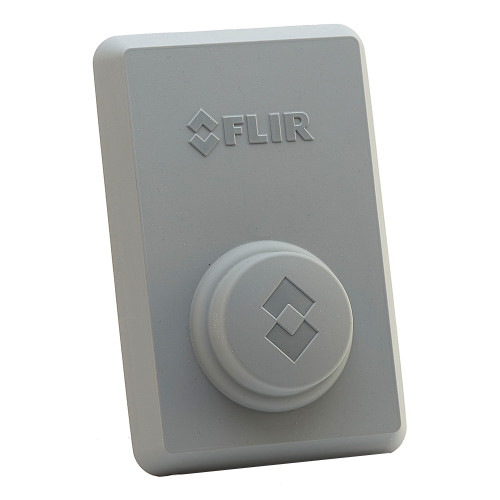
Gain precise command over your FLIR M100, M200, or M300 series thermal camera with the FLIR JCU3 Compact Joystick. This controller provides intuitive pan, tilt, and zoom functionality through its joystick trackpad and 9 dedicated buttons, ensuring seamless integration with your marine navigation system via Raymarine RayNet. Constructed for demanding marine environments, the JCU3 boasts a rugged, waterproof design and offers versatile mounting options, allowing for enhanced situational awareness during night operations or low-visibility conditions off the Texas coast.
Key Features
- Precise control for FLIR M100/200/300 series thermal cameras
- Intuitive operation with joystick trackpad and 9 control buttons
- Full camera access to pan, tilt, zoom, and menu functions
- Rugged and waterproof construction for marine durability
- Versatile mounting for horizontal or vertical orientation
- Nighttime visibility with backlit keypad and rotary knob
- Flexible power options via PoE or 12V DC
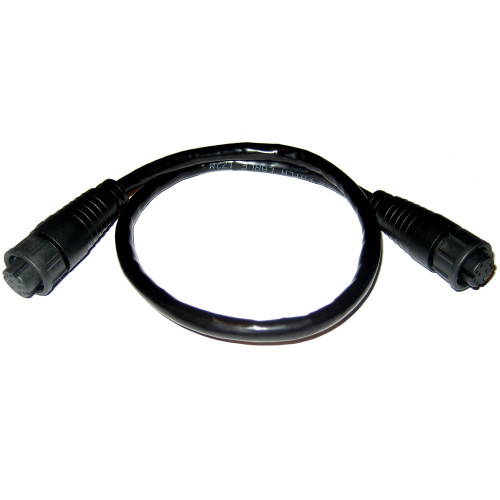
- Seamless integration with Raymarine RayNet Network
Specifications
| Product Specifications | |
|---|---|
| Buttons | 9 |
| Controllers | Rotary controller, joystick trackpad |
| Construction | Rugged, waterproof |
| Mounting | Surface or flush mountable, horizontally or vertically |
| Power | Ethernet (PoE) or 12V DC |
| Connectivity | Raymarine RayNet Network |
Who This Is For
Boaters, fishermen, and marine professionals requiring advanced situational awareness and precise command over their FLIR thermal imaging systems. Ideal for those seeking dedicated control for navigation, security, and wildlife observation at sea.
How It Compares
| Feature | FLIR JCU3 Joystick for M100/200 Thermal Cameras | Competitor |
|---|---|---|
| Primary Function | Thermal Camera Joystick Control | Autopilot Control |
| Thermal Camera PTZ Control | Yes | No |
| Joystick Trackpad | Yes | No |
| Rotary Controller | Yes | Yes |
| Waterproof Rating | Yes | IPX7 |
| Power Options | PoE or 12V DC | NMEA 2000 |
| Connectivity | Raymarine RayNet Network | NMEA 2000 |
Common Concerns Answered
Is setup complicated if I'm new to Raymarine RayNet?
While initial setup may require a basic understanding of Raymarine RayNet networking, the JCU3 offers straightforward integration once the network is established. The manual provides detailed guidance, and many users find the dedicated control benefits outweigh the initial learning curve.
What if I don't own a compatible FLIR thermal camera?
The FLIR JCU3 is designed specifically to enhance the control of FLIR M100, M200, and M300 series thermal cameras. For users without a compatible FLIR camera, the cost of the JCU3 may be a factor when considering a complete thermal imaging solution.
Will this work with any FLIR thermal camera?
The FLIR JCU3 is optimized for FLIR's M100, M200, and M300 series thermal cameras. Compatibility is limited to these specific models to ensure precise and full functionality, providing a dedicated and efficient control experience.
Frequently Asked Questions
What FLIR thermal cameras is the JCU3 compatible with?
The FLIR JCU3 is compatible with FLIR M100, M200, and M300 series thermal cameras.
Can the FLIR JCU3 be mounted in multiple locations?
Yes, the FLIR JCU3 can be mounted either on the surface or flush mounted, and it supports both horizontal and vertical orientation options to suit various helm configurations.
How is the FLIR JCU3 powered?
The FLIR JCU3 can be powered either via Power over Ethernet (PoE) through its RayNet connection or directly via a 12V DC power source.
Is the FLIR JCU3 waterproof?
Yes, the FLIR JCU3 features a rugged and waterproof construction, designed to withstand the harsh marine environment.
Can I control a single FLIR camera from multiple JCU3 units?
The JCU3 is designed for dedicated control of a single FLIR camera from one unit at a time. Network configuration and camera capabilities will determine if multiple controllers can be managed within a system.