
Description
Dolphin Charger TouchView Controller | Boat Supply Store
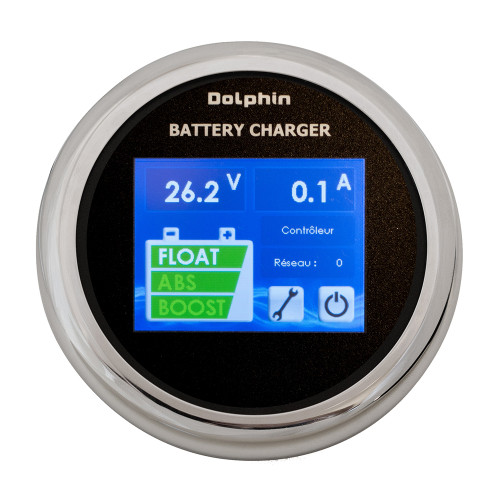
Optimize battery bank health and gain granular control over your Dolphin Charger PRO with the intuitive TouchView Controller. This accessory provides real-time monitoring of critical charging parameters, including voltage, amperage, and charge percentage, displaying distinct charging phases like boost, absorption, and float. Its CAN bus communication via an RJ11 plug ensures seamless integration, offering critical fault and alarm diagnostics essential for maintaining peak performance on offshore fishing vessels traversing the Gulf of Mexico.
Key Features
- Gain real-time voltage, amperage, and charge percentage readings.
- Monitor precise charging phases including boost, absorption, and float.
- Receive immediate alerts for operational faults and alarms.
- Access a comprehensive operation log for historical data.
- Benefit from advanced diagnostics for proactive maintenance.
- Integrate seamlessly with compatible Dolphin Charger PRO units.
- Simplify installation with front-panel mounting capability.
- Utilize robust CAN bus communication via RJ11 connection.
Specifications
| Product Specifications | |
|---|---|
| Display Type | Color Touchscreen |
| Voltage Display | Yes |
| Amperage Display | Yes |
| Charge Percentage Display | Yes |
| Charging Phases Display | Boost, Absorption, Float |
| Available Power Allocation Display | Yes |
| Faults and Alarms Display | Yes |
| Operation Log | Yes |
| Communication Protocol | CAN bus |
| Connection Plug | RJ11 |
| External Diameter | 3-5/8 inches |
| Trim Finish | Chrome plated |
| Mounting Type | 4-screw mount, Front panel mounting |
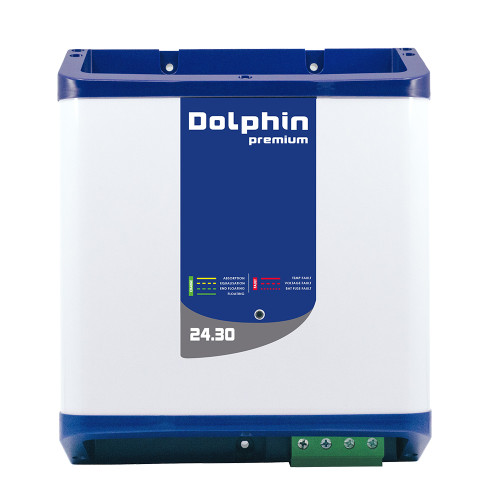
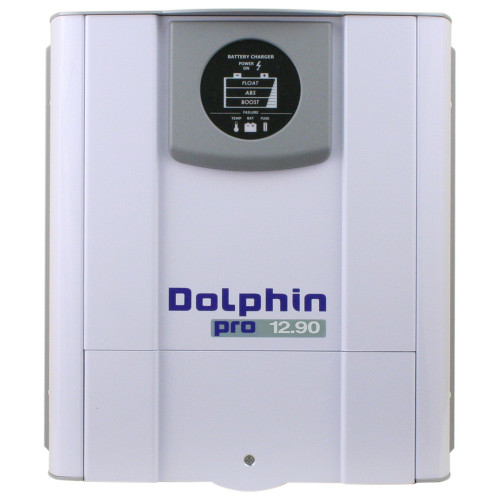
| Compatible Models | Dolphin Charger PRO, 12V-60A Premium, 24V-30A Premium |
Who This Is For
Marine enthusiasts and boat owners who utilize Dolphin Charger PRO battery chargers and demand enhanced monitoring and diagnostic capabilities. Professional marine technicians will also find value in its advanced control and fault detection features for efficient system servicing.
How It Compares
| Feature | Dolphin Charger TouchView Controller | Competitor |
|---|---|---|
| Display Type | Color Touchscreen | LCD |
| Direct Charger Control | Yes | No |
| Real-time Charging Parameters Display | Voltage, Amperage, Charge Percentage, Charging Phases | Voltage, Current, Power, Amp-hours consumed |
| Fault and Alarm Display | Yes (battery voltage too low, internal temperature too high, fuse, relay activation) | Yes |
| Communication Protocol | CAN bus | Bluetooth Smart |
| Mounting | Front panel of Pro chargers, 4 screws | Separate shunt installation required, display unit mounts separately |
Common Concerns Answered
Is this controller compatible with all Dolphin chargers?
No, the TouchView Controller is specifically designed for and compatible with Dolphin Charger PRO, 12V-60A Premium, and 24V-30A Premium chargers, not all Dolphin Charger models.
Do I need to buy a Dolphin Charger PRO to use this controller?
Yes, the TouchView Controller functions as an accessory for compatible Dolphin Charger PRO units. It requires the presence of a compatible charger to operate and is an additional purchase for users not already equipped with the necessary charger.
What is the main advantage of the TouchView Controller over the standard display?
The primary advantage is the intuitive color touchscreen interface, which provides real-time, detailed monitoring of critical charging parameters, advanced fault diagnostics, and operational logs, offering significantly greater control and insight into the charging process.
Frequently Asked Questions
What Dolphin Charger PRO models is the TouchView Controller compatible with?
The TouchView Controller is compatible with the Dolphin Charger PRO, Dolphin Charger 12V-60A Premium, and Dolphin Charger 24V-30A Premium models.
What information can I view on the Dolphin TouchView Controller screen?
You can view real-time voltage, amperage, charge percentage, charging phases (boost, absorption, float), available power allocation, operational faults, and alarms on the TouchView Controller screen.
Can the TouchView Controller adjust charger settings remotely?
The TouchView Controller primarily provides monitoring and diagnostic capabilities. While it offers enhanced control and insight, specific remote adjustment of charger settings is not explicitly detailed in its core functionality description; its focus is on real-time data display and fault reporting.
What types of faults or alarms can the TouchView Controller display?
The controller can display various operational faults and alarms, including but not limited to: battery voltage too low, internal temperature too high, fuse status, and relay activation.
How is the TouchView Controller connected to the Dolphin Charger PRO?
The TouchView Controller connects to the Dolphin Charger PRO via CAN bus communication through an RJ11 connection plug.