

Description
Mopeka Wi-Fi Bridge for Remote Tank Monitoring | Boat Supply Store
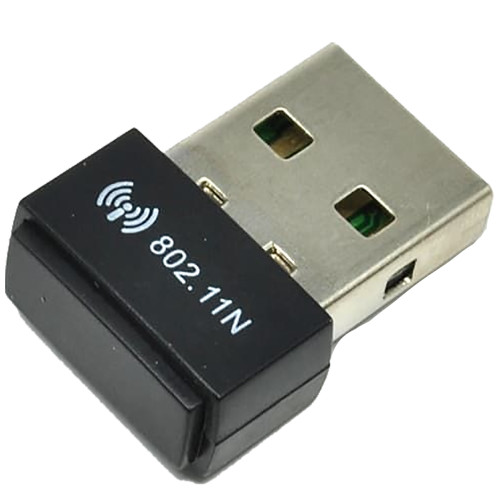
Overcome Bluetooth range limitations for your Mopeka Check tank sensors with the Mopeka 2.4 GHz Wi-Fi Bridge. This device establishes cloud connectivity, enabling real-time monitoring of fuel, water, or waste tank levels via the Mopeka application from any location. It operates on the 2.4 GHz Wi-Fi frequency and is powered through a USB-C connection using the provided cable and power cube. Ideal for monitoring tanks on remote vessels or stationary applications where direct sensor access is impractical.
Key Features
- Connect Mopeka Check sensors to the cloud via 2.4 GHz Wi-Fi.
- Enable remote tank level monitoring through the Mopeka app.
- Access tank levels even when the sensor is out of phone/tablet range.
- Ideal for vacation homes, RV parks, and gas companies.
- Powered by included USB-C cable and power cube.
- Extends functionality of Mopeka Check sensors for ultimate convenience.
- Provides critical data for proactive tank management.
- Ensures you always know your tank status, regardless of distance.
Specifications
| Product Specifications | |
|---|---|
| Wi-Fi Frequency | 2.4 GHz |
| Connectivity | 2.4 GHz Wi-Fi to Mopeka Cloud |
| Power Input | USB-C |
| Included Accessories | USB Cable & Power Cube |
Who This Is For
Boat owners, RV owners, and vacation home owners who require the capability to remotely monitor tank levels using Mopeka Check sensors. This device is also suitable for gas companies that need to track tank levels from a distance.
How It Compares
| Feature | Mopeka Wi-Fi Bridge for Remote Tank Monitoring | Competitor |
|---|---|---|
| Connectivity Type | 2.4 GHz Wi-Fi | SiriusXM Satellite, NMEA 2000 |
| Primary Function | Wi-Fi bridge for tank sensors to cloud | Satellite weather and radio receiver, GPS antenna and compass |
| Power Source | USB-C | 12V DC, NMEA 2000 |
Common Concerns Answered
How do I overcome the initial setup complexity for the Wi-Fi Bridge?
While initial setup may require basic Wi-Fi network knowledge, refer to the detailed Mopeka Check Wi-Fi Bridge Manual for step-by-step instructions and troubleshooting guidance. Many users find the process straightforward with the manual.
What if my location lacks a stable Wi-Fi network?
The Mopeka Wi-Fi Bridge relies on a stable 2.4 GHz Wi-Fi network for continuous cloud connectivity and remote monitoring. Ensure your installation location has reliable Wi-Fi for optimal performance.
Is it difficult to install?
Installation difficulty is rated 2 out of 5. It requires a basic understanding of Wi-Fi network setup and connecting USB devices, with no complex wiring or specialized tools needed.
Frequently Asked Questions
How does the Mopeka Check Wi-Fi Bridge connect my tank sensor to the cloud?
The Wi-Fi Bridge connects to your existing 2.4 GHz home or marina Wi-Fi network. Once connected, it acts as a conduit, transmitting data wirelessly from your Mopeka Check sensor to the Mopeka cloud servers.
Can I check my tank levels remotely with the Mopeka Wi-Fi Bridge?
Yes, the primary function of the Mopeka Wi-Fi Bridge is to enable remote tank level monitoring via the Mopeka mobile application on your smartphone or tablet, regardless of your physical proximity to the sensor.
What is required to power the Mopeka Wi-Fi Bridge?
The Mopeka Wi-Fi Bridge is powered via USB-C. It includes a USB-C cable and a power cube, allowing you to plug it into a standard power outlet or a compatible USB power source.
Is the Mopeka Wi-Fi Bridge compatible with all Mopeka Check sensors?
The Mopeka Wi-Fi Bridge is designed to extend the functionality of Mopeka Check sensors. For specific compatibility details with older or specialized Mopeka sensor models, consult the Mopeka website or product documentation.
What is the Wi-Fi frequency used by the Mopeka Wi-Fi Bridge?
The Mopeka Wi-Fi Bridge operates on the 2.4 GHz Wi-Fi frequency band.