
Description
Xantrex Gateway Communication Device | Boat Supply Store
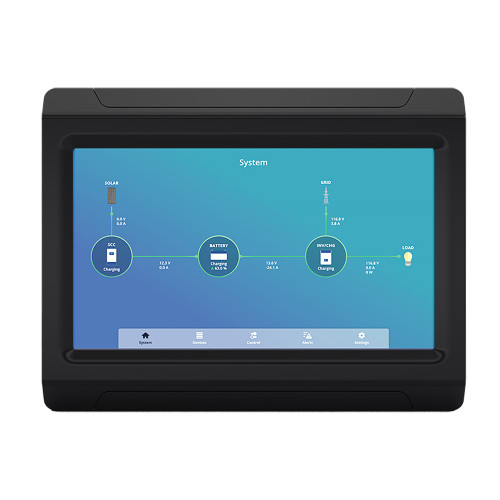
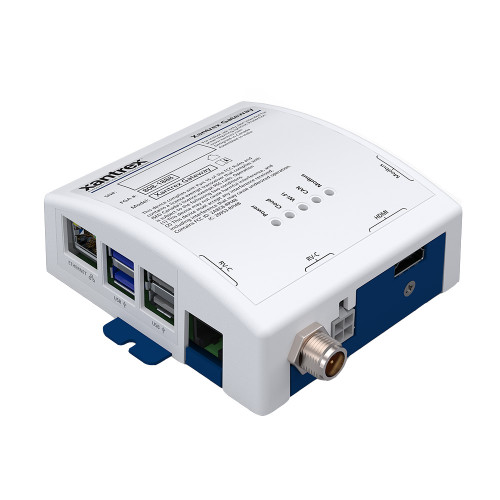
Simplify management of multi-device Xantrex power systems on vessels and recreational vehicles. This communication device aggregates control and monitoring functions into a single interface, accessible wirelessly. It permits detailed configuration of settings such as transfer relays and inverter status, alongside real-time monitoring of critical parameters including current, voltage, and battery state of charge (SOC). Essential for owners of multiple Xantrex components requiring a unified, remote operational command center.
Key Features
- Simplify power system management with centralized control.
- Access your system wirelessly via Wi-Fi from any smartphone, tablet, or PC.
- Monitor multiple Xantrex products from a single device interface.
- Configure vital settings, including transfer relay operation and inverter on/off states.
- Track real-time device status, including current draw and voltage levels.
- View precise battery state of charge for optimized energy utilization.
- Gain remote operational capabilities for enhanced system oversight.
- Integrate seamlessly with your existing Xantrex power infrastructure.
Specifications
| Product Specifications | |
|---|---|
| Brand | Xantrex |
| MPN | 808-1888 |
| Connectivity | Wi-Fi |
Who This Is For
This device is engineered for RV and boat owners operating multiple Xantrex power management components. It provides an integrated, wireless solution for comprehensive system monitoring and control, ideal for those seeking simplified remote management.
How It Compares
| Feature | Xantrex Gateway Communication Device | Competitor |
|---|---|---|
| Wireless Connectivity | Wi-Fi | Ethernet, Wi-Fi, Bluetooth, CAN-bus, VE.Direct, Wi-Fi |
| Remote Access Platforms | Smartphone, Tablet, PC | Mobile app, Dedicated GX Touch display, Mobile app |
| System Integration Focus | Xantrex Products | Victron Energy and compatible third-party devices, Mastervolt Products |
Common Concerns Answered
Are there any known issues with setting up the Xantrex Gateway?
While the initial setup is designed to be straightforward, some users may find it complex. For detailed guidance, refer to the official Xantrex manual and support resources.
Does the Xantrex Gateway connect reliably to my devices?
Most users report positive experiences with connectivity. Occasional reports of connectivity issues can often be resolved through firmware updates or by ensuring a strong Wi-Fi signal within the operational area.
Can I monitor devices from brands other than Xantrex with this Gateway?
The Xantrex Gateway is specifically designed for optimal performance and integration with Xantrex branded power management products.
Frequently Asked Questions
What Xantrex devices are compatible with the Xantrex Gateway Communication Device?
The Gateway is compatible with a range of Xantrex inverter/chargers, inverters, and battery monitors. Consult the Xantrex compatibility list on their website for specific model numbers.
Can I control my Xantrex inverter settings remotely using the Gateway?
Yes, the Xantrex Gateway allows for remote configuration and control of essential inverter settings, such as transfer relay activation and inverter on/off status.
What platforms can I use to monitor my Xantrex devices with the Gateway?
You can monitor your Xantrex devices using the Gateway through any internet-connected smartphone, tablet, or PC via a web browser or the dedicated Xantrex mobile application.
Does the Xantrex Gateway require a separate touchscreen panel?
No, the Xantrex Gateway does not require a separate touchscreen panel. It leverages your existing smartphone, tablet, or PC for all monitoring and control functions.
How does the Xantrex Gateway improve monitoring and control of Xantrex products?
The Gateway consolidates control and monitoring of multiple Xantrex devices into a single, accessible interface, enabling wireless remote access and configuration for enhanced system management and operational awareness.