
Description
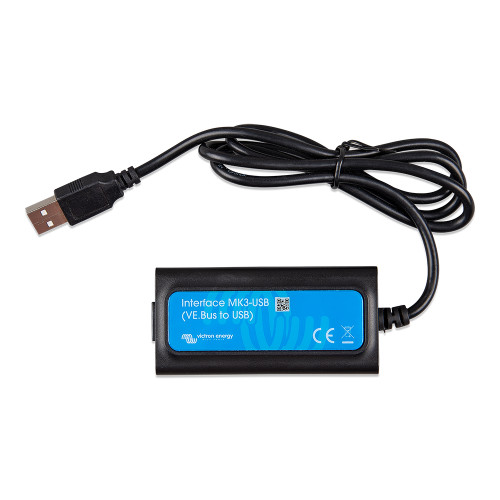
Victron MK3-USB Interface for VE.Bus Systems | Boat Supply Store
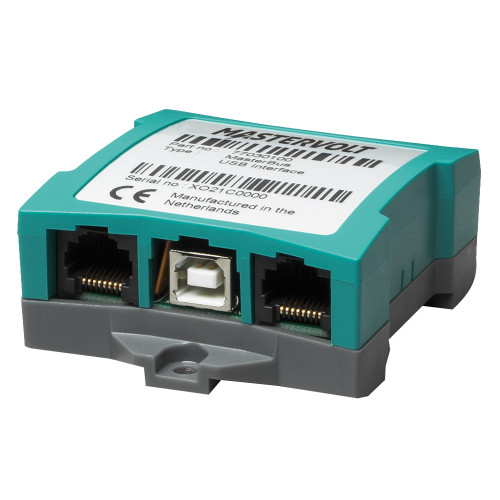
Essential for managing advanced Victron Energy power systems, this module bridges the proprietary VE.Bus communication protocol to a standard USB port. It facilitates crucial configuration adjustments and firmware updates for a wide array of Victron inverter/chargers, including models like the MultiPlus and Quattro, ensuring optimal system performance. This dedicated interface is indispensable for maintaining the integrity and functionality of complex marine electrical installations, from large sportfishing vessels navigating the Gulf to cruising catamarans offshore.
Key Features
- Connect VE.Bus devices to your computer via USB for direct access.
- Configure critical settings for Multi, MultiGrid, MultiPlus, MultiPlus-II, Quattro, and more.
- Update firmware on compatible Victron devices for the latest performance enhancements.
- Utilizes the robust VE.Bus communication protocol for reliable data transfer.
- Enables detailed system adjustments, ensuring precise power management.
- Facilitates essential maintenance tasks for advanced power systems.
- Directly interfaces with popular Victron models like EasySolar and EasyPlus.
- Provides access to inverter settings for comprehensive control.
Specifications
| Product Specifications | |
|---|---|
| Protocol | VE.Bus |
| Connectivity | USB |
| Supported Devices | Multi, MultiGrid, MultiPlus, MultiPlus-II, Quattro, ECOmulti, EasySolar, EasyPlus, Inverters with VE.Bus |
Who This Is For
Marine electricians and boat owners with Victron Energy VE.Bus power systems who require precise configuration and firmware management. Solar installers and DIYers can also leverage this interface for setup and ongoing maintenance of their Victron equipment.
How It Compares
| Feature | Victron MK3-USB Interface for VE.Bus Systems | Competitor |
|---|---|---|
| Primary Function | Configuration and firmware updates for VE.Bus devices | Configuration and monitoring for VE.Direct devices, Real-time system monitoring |
| Supported Protocol | VE.Bus | VE.Direct, NMEA 2000, CAN bus |
| Device Compatibility | Multi, MultiGrid, MultiPlus, MultiPlus-II, Quattro, ECOmulti, EasySolar, EasyPlus, Inverters with VE.Bus | BMV, MPPT, and other VE.Direct devices, NMEA 2000 compatible devices |
Common Concerns Answered
Is this interface required for all Victron VE.Bus devices?
The Victron Interface MK3-USB is specifically required for configuration and firmware updates on Victron devices that utilize the VE.Bus communication protocol. Some newer or simpler Victron devices might have integrated configuration capabilities or use different protocols like VE.Direct, which would require a different interface.
Can I avoid buying this if I don't plan on updating firmware?
While firmware updates are a key function, initial system configuration, parameter adjustments, and troubleshooting often necessitate the use of this MK3-USB interface for VE.Bus devices. It is essential for comprehensive system management and optimal performance tuning, not just updates.
Is this an additional cost I wasn't expecting?
The MK3-USB is a dedicated accessory designed to bridge Victron's proprietary VE.Bus protocol to a standard computer interface. While it is an additional purchase, it provides the essential functionality for managing complex VE.Bus systems that are not integrated into the devices themselves.
Frequently Asked Questions
What Victron Energy products can I connect to my computer using the MK3-USB interface?
You can connect Victron Multi, MultiGrid, MultiPlus, MultiPlus-II, Quattro, ECOmulti, EasySolar, EasyPlus, and Inverters that are equipped with a VE.Bus communication port.
How do I update the firmware on my Victron MultiPlus using the MK3-USB?
Connect the MK3-USB module between your MultiPlus's VE.Bus port and your computer's USB port. Then, use Victron's VEConfigure or VictronConnect software (depending on the specific model and firmware version) to access the device and initiate the firmware update process.
Is the Victron MK3-USB compatible with all Victron inverters?
The MK3-USB is specifically compatible with Victron inverters that feature a VE.Bus communication port. It is not compatible with inverters that only have a VE.Direct port or other communication interfaces.
What software is needed to configure Victron devices with the MK3-USB?
The primary software required is Victron's VEConfigure (for more advanced configurations) or VictronConnect (for simpler setups and some newer devices), depending on the specific Victron product and its firmware. Both are available for download from the Victron Energy website.
Can the MK3-USB be used for real-time monitoring of Victron VE.Bus devices?
While the primary function of the MK3-USB is configuration and firmware updates, the connected software (like VEConfigure or VictronConnect) can often provide real-time monitoring data from the VE.Bus devices during an active connection. For dedicated, continuous real-time monitoring, Victron's remote monitoring solutions like the Cerbo GX with GX Touch display are typically recommended.